


Note Rush: Learn to Read Music
4.2113.00 Reviews
App Specs
- Version
- 2.01.6
- Updated On
- License
- $8.99
- Downloads
- 10,000+
- Developer
- Thomas Grayston Software
- Categories
- Music
- Platform
- Android, iOS
Screenshots
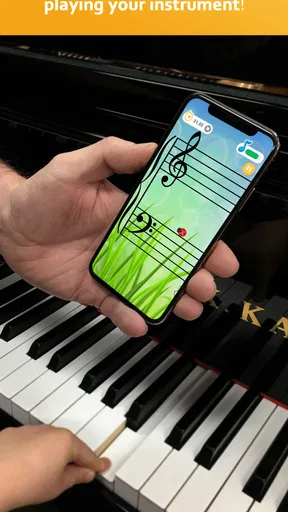
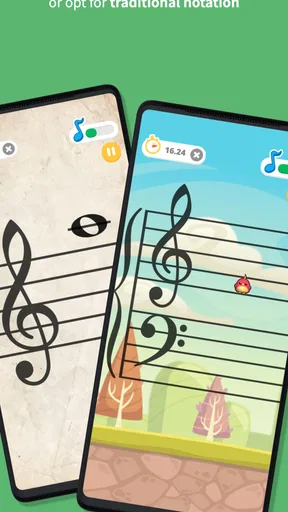
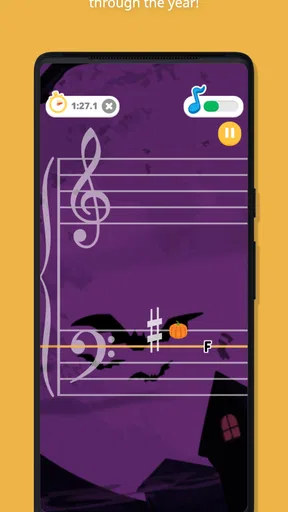
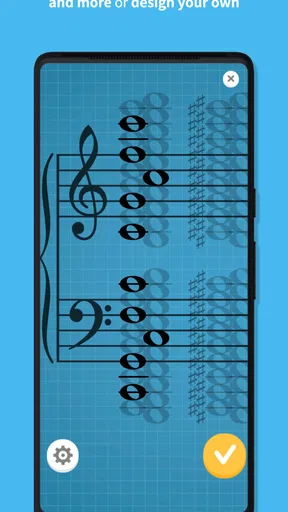
 Analysis by AppCompare
When I practise reading notation, the hard part is often not knowing what a note is in theory; it is recognizing it quickly, then finding and playing it on my instrument without losing the beat. Note Rush: Learn to Read Music is built around that useful link between seeing a note and producing its sound. Rather than keeping practice entirely on a screen, it listens as you play, making note recognition an active task. I think that focus is what makes it worth considering for learners who want more fluent reading, not just another reference for music theory.
Why playing the answer changes the exercise
A flashcard can tell me whether I named a note correctly, but it cannot tell me whether I can locate it on my instrument. Note Rush turns that gap into the exercise: I look at the staff, work out the note, and play it so the app can respond. That simple sequence brings together visual recognition, instrument technique, and listening. It is especially helpful when a learner can identify notes slowly on paper but hesitates when a piece asks them to read and play in real time.
The immediate response also gives practice a clear next step. If I play the wrong pitch, I can try again while the note is still in front of me instead of discovering the mistake later in a full piece. That makes the game useful for short, focused sessions between lessons. It is not a replacement for learning rhythm, phrasing, or how music fits together, but it gives note reading a practical workout that written drills alone may not provide.
How I would fit it into a practice routine
I would treat the game as a warm-up or a targeted drill, rather than expecting it to stand in for instrument practice. A few minutes of reading and responding can help me switch into a more attentive mode before I work on a piece. If one part of the staff keeps slowing me down, narrowing the note range gives me a way to practise that area instead of repeatedly encountering material that is already comfortable. Changing the clef or range as my reading improves can keep the task relevant without making it needlessly difficult.
The microphone-based approach makes the choice of practice setting important. I would use it where I can hear my instrument clearly and play without rushing; a noisy room or a very quiet playing setup can make a listening exercise less convenient. A useful habit is to pause when a note catches me out, name it, find it on the instrument, and then continue. That small bit of deliberate thinking helps prevent the game from becoming a reflex test where I simply guess until I get a correct response.
Who is most likely to benefit
Note Rush is a natural fit for learners who already have access to an instrument and want more confidence reading notes on a staff. It can also give a teacher a concrete way to assign short note-reading practice between lessons, especially for students who respond better to an interactive task than a worksheet. Thomas Grayston Software has made a music game with a specific educational purpose, and the store description’s appeal to music teachers makes sense: the central activity connects notation with actually playing.
It may be less suitable for someone who has not yet started an instrument, needs a full beginner course, or wants lessons in rhythm, ear training, or music theory as a whole. Those learners may get more from a structured course or an instructor first, then use this kind of drill to reinforce note reading. It is also not the best choice for silent practice, since its central exercise depends on hearing an instrument through the device’s microphone.
Worth Reading Before You Choose

Baby Panda World Brings Quick Play to Modern Phones, but Its Game Library Feels Busy

ESPN’s Live Game View Makes Following Close Games Easier

QuizzLand Review: A Good Fit for Short Trivia Breaks, Not Every Player

Basketball Stars: Multiplayer Is Fast, but Can It Recover When Matches Go Wrong?

WEBTOON Turns Phone Updates Into a Better Reading Routine

Link to Windows Runs on Shared Habits, Not Social Feeds
What to expect before choosing it
The game is in the music category, has an Everyone age rating, and costs $8.99. Its average rating is 4.2 from over 440 ratings, with more than 100 written reviews and over 10,000 installs. Those figures suggest that it has found an audience, but I would still judge it by whether its play-and-recognize approach suits your own instrument and routine. The current version is 2.01.4, and it runs on Android 7.0 or later; the game was released on August 5, 2016.
Compared with a note-naming worksheet, the real-instrument response is the main distinction: the task asks me to turn recognition into a played pitch, not just select or say an answer. Compared with a general music-learning app, the narrower focus is both its strength and its limit. It can make repetitive reading practice more active, but it should not be mistaken for a complete curriculum or a substitute for working through actual music. If I wanted broad lessons or silent review, I would choose a different kind of tool alongside it.
Getting Started with Note Rush
First things first, downloading Note Rush is a breeze. Available on both Android and iOS, it’s just a quick tap away from being on your device. Once installed, you're greeted with a colorful and inviting interface that immediately sets the tone for a fun learning experience.
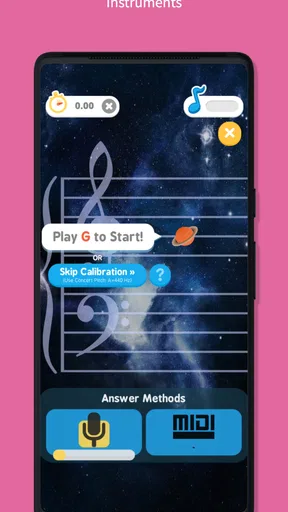
The app is designed to make note reading a fun, engaging, and interactive process. It uses your device’s microphone to listen as you play notes on your actual instrument. Pretty cool, right? This feature helps bridge the gap between theory and practice, making it suitable for all ages and skill levels.
Features That Hit the Right Note
One of the standout features of Note Rush is its ability to adapt to your pace and skill level. Whether you're a complete beginner or a seasoned musician, the app provides a tailored experience that matches your abilities.
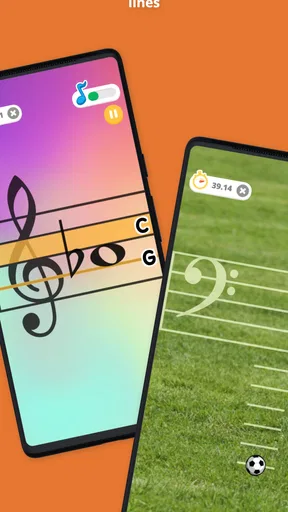
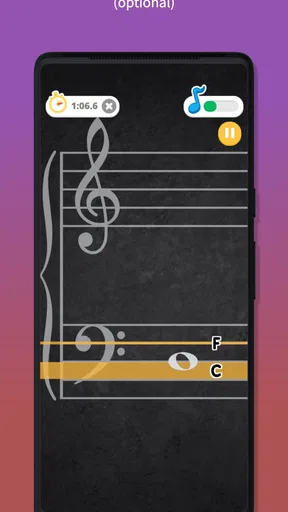
- Customizable Levels: The app offers various levels that you can customize. You can choose the clef, range of notes, and even the speed of the game. This ensures that you never feel overwhelmed or under-challenged.
- Real Instrument Integration: Unlike many other apps that rely solely on virtual keyboards, Note Rush listens to your real instrument. This feature is a game-changer for students and teachers alike.
- Variety of Themes: To keep things interesting, Note Rush includes a variety of themes and game modes. From space adventures to jungle quests, each theme adds a unique twist to your learning journey.
The Learning Experience
Now, let’s dive into the actual learning experience. The app’s primary goal is to help users quickly identify notes on the staff and play them accurately on their instrument. It achieves this through a series of interactive challenges that are as fun as they are educational.
As you play, the app provides instant feedback, letting you know when you hit the right note or when you need to try again. This immediate response is crucial for reinforcing learning and building confidence.
One of the things I love about Note Rush is how it encourages repetition without making it feel monotonous. The variety of themes and challenges keeps you engaged, making practice something you look forward to rather than dread.
Perfect for Teachers and Students
Teachers, listen up! Note Rush is an excellent tool for creating a dynamic and interactive learning environment. You can set specific challenges for your students and track their progress over time. It's like having a digital teaching assistant that never gets tired.
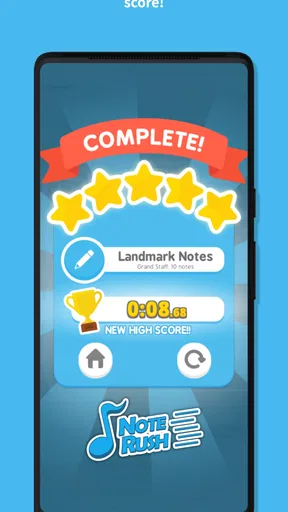
For students, the app offers a sense of achievement with every level you complete. It's a great way to build confidence and mastery in reading music, making practice time both productive and enjoyable.
Final Thoughts
In a world where learning can sometimes feel like a chore, Note Rush makes reading music exciting and accessible. Its user-friendly interface, real instrument integration, and customizable challenges offer something for everyone, whether you're picking up an instrument for the first time or looking to refine your skills.
So, if you're ready to take your music reading skills to the next level, give Note Rush a try. It's more than just an app; it's your personal music tutor that fits right in your pocket.
A realistic practice session
Imagine a student with a lesson the next afternoon who has spent the week practising a familiar piece but still pauses over notes outside the comfortable middle range. I would use a short Note Rush session before opening the sheet music: keep the exercise limited to that awkward range, play each prompt at a comfortable pace, and notice which notes still require a long mental translation. Then I would return to the piece and look for those notes in context. The game can expose a reading bottleneck; the piece is where I check whether that recognition transfers into actual music.
That order matters. If I start with the fastest possible setting, I may train hurried reactions instead of dependable reading. I would first aim for accurate answers, then raise the pace only when I can identify and play notes without repeated guessing. On a day when the instrument is already warmed up, the exercise can be a focused transition into practice. If I am in a shared room or need to stay quiet, a paper exercise is simply more practical.
Small adjustments that make practice more useful
The customizable clef and note range are more than convenience options: they let me isolate a specific reading problem. For example, I would avoid switching several settings at once when something feels difficult. Keeping the range stable while adjusting speed makes it easier to tell whether the challenge comes from recognizing the notation or responding quickly. Once a group of notes feels familiar, I can widen the range and see whether that confidence holds when the choices are less predictable.
I would also use the game as a diagnostic rather than treating a completed level as proof that a skill is mastered. A correct response can come from memory of a repeated prompt, while a new passage asks me to read notes in a different sequence. To keep the exercise honest, I would occasionally stop and say the note name before playing it, then move to a piece or a staff-reading worksheet. That combination checks both quick recognition and understanding, without expecting one game to teach every part of music reading.
Teachers can make the same distinction when assigning it. A student who gets through a drill smoothly may still need help applying the notes to a score, so I would pair the game with a small passage that uses the same clef or range. The app can make repetition less dull, but a teacher’s feedback remains valuable for posture, fingering, sound quality, and musical interpretation. Its strongest role is a supplementary exercise with a clear target, not an automated replacement for those parts of a lesson.
Where the microphone approach has limits
Listening to an actual instrument makes the exercise feel connected to playing, but it also means the room and instrument matter. I would choose a spot where the device can hear each note distinctly, keep other sound to a minimum, and avoid playing so softly that the pitch is difficult to pick up. If a response seems inconsistent, I would first test the setup with a clear, comfortable note rather than immediately assuming I have misunderstood the staff. That is a practical trade-off: a virtual answer button is quieter and more controlled, while microphone input asks the player to make a real sound.
Instrument choice matters too. Someone whose instrument produces clear, separate pitches may find the task straightforward; a sound that is very short, blended, or difficult for a nearby microphone to distinguish can make this style of practice less comfortable. I would not buy it expecting a silent note quiz or a full set of instrument lessons. The central appeal is the loop of reading, playing, and receiving a response, and that loop is useful only if it fits the way and place you practise.
Choosing it over broader music apps
Many music-learning tools try to cover several subjects at once, such as theory, rhythm, ear skills, and instrument technique. Note Rush is easier to evaluate because its main job is narrower: help make written notes quicker to recognize by asking you to play them. If my immediate goal is to stop hesitating at the staff, that focus is an advantage. If I need a guided path through scales, rhythm notation, or a complete beginner’s instrument course, I would look for a broader learning resource and use this game only if note reading remains a weak spot.
It also has a different feel from ordinary flashcards. Flashcards are easy to use quietly and can make note naming very direct, but they stop at recognition unless I add an instrument myself. Here, playing is part of the answer, which can reveal a mismatch between knowing a note’s name and finding its pitch. The cost of that more active approach is a less flexible practice setting and a narrower subject. Neither format wins in every situation; I would choose according to whether I need quick silent review or a practical read-and-play drill.
Who should pass, and who should keep it nearby
I would skip Note Rush if I mainly want a broad music course, need to practise without making sound, or do not yet have a comfortable way to play the notes being shown. A learner who is still unsure how the staff works may benefit from a teacher or a beginner-friendly theory lesson before timed or game-like repetition. Likewise, someone who already reads fluently but wants to improve phrasing, ensemble skills, or interpretation will probably get more from repertoire and coaching than from a note-recognition exercise.
For a student who can play but freezes when a new note appears, the focused format makes more sense. It can offer a repeatable way to work on one clef or range, and its game presentation may help a young learner approach drills with less resistance. I would still keep sessions purposeful: choose a range connected to current lesson material, work for accuracy before speed, then apply the same notes in a real score. That is where I see the clearest value—not as a pocket tutor for every musical question, but as a practical way to turn staff recognition into a played response.
Pros
- Interactive and engaging gameplay.
- Customizable difficulty levels.
- Tracks progress over time.
- Supports multiple instruments.
- Colorful and appealing visuals.
Cons
- Limited free version features.
- Requires stable internet connection.
- No offline mode available.
- Occasional ads disrupt flow.
- Not suitable for advanced learners.
FAQs for Note Rush: Learn to Read Music
What is Note Rush: Learn to Read Music and who is it for?
Note Rush: Learn to Read Music is an educational app designed to help musicians of all ages improve their music reading skills. It's ideal for beginners and students who want to practice note recognition in an engaging and interactive way. The app uses a game-like interface to make learning fun and effective.
How does Note Rush enhance music reading skills?
Note Rush enhances music reading skills by providing a series of timed challenges where users identify notes on a virtual staff. The app listens to users play notes on their real instruments, offering immediate feedback. This interactive approach reinforces note recognition through repetition and real-time practice, making it a powerful learning tool.
Is Note Rush compatible with all musical instruments?
Yes, Note Rush is designed to be compatible with any instrument that can play notes within the standard staff range. This includes pianos, guitars, violins, and more. The app uses the device's microphone to listen to the notes being played, so ensure your instrument is in tune for the best experience.
Are there different levels or modes in Note Rush?
Note Rush offers multiple levels and modes to suit varying skill levels. Users can start with beginner levels focusing on basic note recognition and progress to more advanced modes with complex note patterns. The app also allows customization of note ranges and clefs, catering to specific learning needs.
Does Note Rush require internet access to function?
No, Note Rush does not require an internet connection to function, making it convenient for practice sessions anywhere, anytime. However, updates or additional features may require internet access. This offline capability ensures users can rely on the app even in areas with limited connectivity.


